Smartphones have become an essential part of daily life in places like Islamabad, where we rely on them for everything from navigation in traffic to staying connected during hot summers. But many users notice their phone getting warm — or even uncomfortably hot — during calls, gaming, charging, or just normal use. Sometimes, scary stories circulate about phones “blasting” or exploding. Let’s break this down factually: why phones heat, when it’s normal vs. a problem, and the rare but real risk of battery fires or explosions.
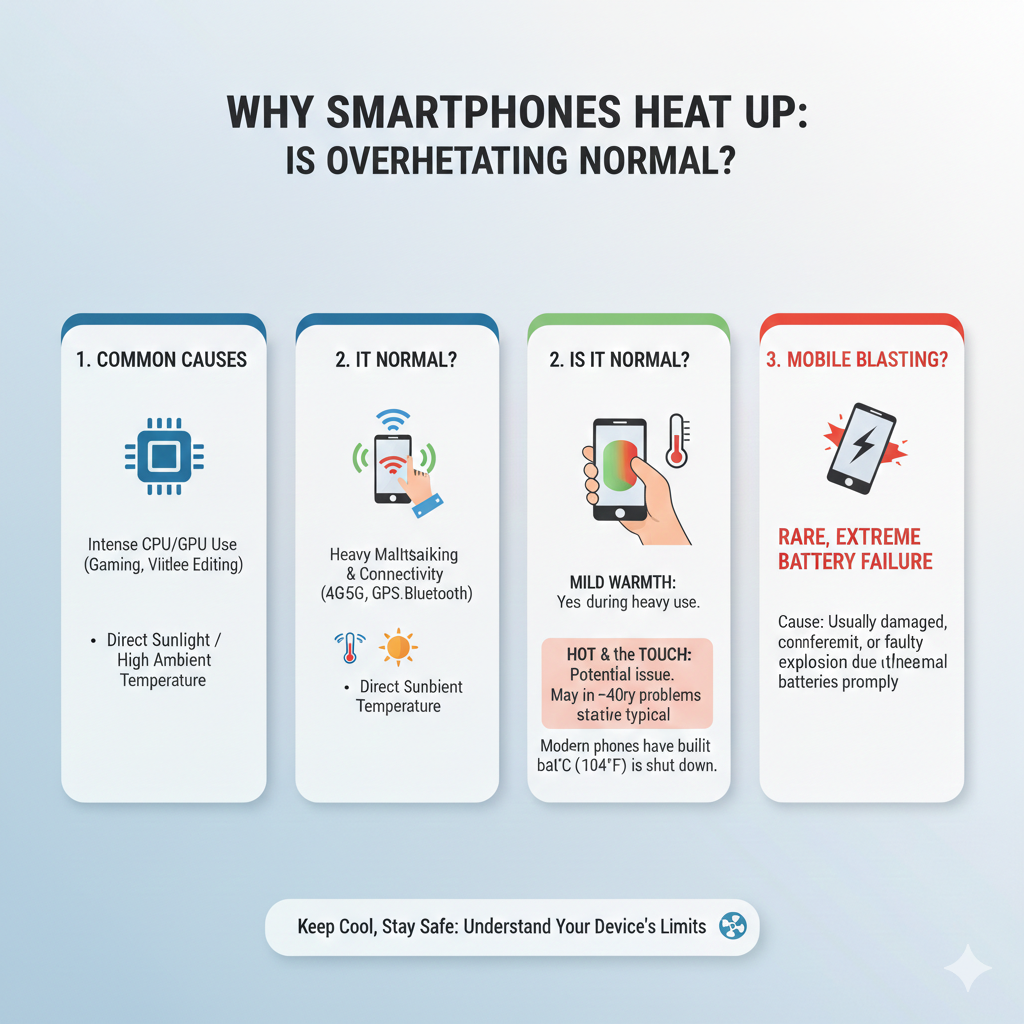
Why Do Smartphones Get Hot? (The Science Behind It)
Smartphones generate heat primarily because they’re tiny, powerful computers without fans (unlike laptops or desktops). Heat comes from electrical resistance and energy conversion:
- Processor (CPU/GPU) workload — The chip (SoC) works harder during demanding tasks like gaming, 4K video recording, streaming, multitasking, or using GPS + camera. More computations = more electrical current = more heat (Joule heating).
- Battery activity — Charging (especially fast/wireless), heavy discharging, or inefficient power use produces heat.
- Radio transmissions — Poor signal areas force the modem to boost power for calls/data, generating extra heat.
- Screen and other components — High brightness, always-on display, or vibration add minor heat.
Normal warmth vs. overheating:
- Warm (around 35–45°C surface) during use? Completely normal — like your laptop after heavy work.
- Hot to touch (uncomfortable to hold, >45–50°C) or phone slows down? This triggers thermal throttling — the phone automatically reduces CPU/GPU speed to cool down and prevent damage. Performance drops (lag, lower FPS in games), but it’s a safety feature.
Common everyday causes of noticeable heating:
- Heavy/Intensive Use — Gaming (PUBG, Genshin), video calls, editing photos/videos, or running many apps.
- Environmental Factors — Direct sunlight, hot car dashboard, or pocket in summer heat (common in Pakistan’s climate).
- Charging While Using — Fast charging + gaming/scrolling strains battery and processor.
- Background Processes — Rogue apps, malware, too many notifications, or outdated software keeping CPU active.
- Poor Signal or 5G — Phone ramps up radio power in weak coverage areas.
- Case/Ventilation Issues — Thick cases trap heat; covering ports blocks airflow.
- Aging Battery — Degraded batteries generate more heat and charge less efficiently.
Modern phones (2025–2026 models) include vapor chambers, graphite sheets, or liquid cooling in flagships to manage heat better than older ones.
Is Smartphone Overheating Dangerous?
Mild to moderate heating is not harmful — phones are designed to operate safely up to ~45–50°C internally before throttling. Prolonged extreme heat can:
- Reduce battery lifespan (lithium-ion batteries degrade faster above 40°C).
- Cause temporary performance issues.
- In very rare cases, contribute to bigger problems if ignored.
But everyday overheating rarely leads to immediate danger in genuine, well-maintained devices from brands like Samsung, Google, Apple, Xiaomi, etc.
What Is “Mobile Blasting” (Phone Explosion/Fire)?
“Mobile blasting” refers to rare incidents where a smartphone battery catches fire, explodes, or bursts into flames — often sensationalized on social media as the phone “blasting” in a pocket, hand, or while charging.
Root cause: Almost always thermal runaway in the lithium-ion (or lithium-polymer) battery.
- Battery overheats uncontrollably → chemical reaction accelerates → more heat → flammable gases released → fire or small explosion.
- Triggers: Physical damage (drop, puncture, crushing), manufacturing defects, overcharging, extreme heat exposure, water damage + short circuit, fake/poor-quality chargers, swollen battery ignored.
Recent examples (2025–2026):
- Isolated cases of phones (e.g., some Motorola G-series reports) catching fire in pockets — often linked to battery defects or damage.
- A viral incident of a battery exploding in a shop (boy bit it, causing puncture).
- Google Pixel models had software-limited charging to prevent rare overheating risks.
These events are extremely rare — billions of phones are used daily, and major incidents (like the 2016 Samsung Note 7) lead to massive recalls and improved standards. In 2025–2026, fires from phones are rising slightly due to more high-capacity batteries and e-bikes/scooters, but still uncommon for reputable smartphones.
Warning signs of risky battery:
- Swelling (phone back bulges).
- Unusual heat even when idle.
- Odd smell, popping sounds, color change, or leakage.
- Rapid battery drain or failure to hold charge.
If you see these — stop using immediately, don’t charge, and get it checked/replaced professionally.
How to Prevent Overheating and Stay Safe
- Avoid direct sun/hot environments — don’t leave in car dashboard.
- Use official/fast-certified chargers; avoid cheap knockoffs.
- Remove thick cases during heavy use/charging.
- Close unused apps, update software, scan for malware.
- Take breaks during gaming/streaming; use cooler spots.
- Enable battery optimization; avoid 100% charge overnight if possible.
- If phone gets too hot often — factory reset, check battery health (in settings), or visit service center.
- For old phones (>2–3 years) — consider battery replacement if swollen or heating excessively.
Bottom Line
Smartphones heat up because physics demands it — they’re compact powerhouses converting electricity to work, and some energy becomes heat. Normal warmth is fine; thermal throttling protects your device. True “overheating” (uncomfortable + performance drop) is usually fixable with better habits. “Mobile blasting” is a real but very rare risk tied to battery failure — not normal use — and prevented by quality manufacturing, avoiding damage, and heeding warning signs.
Your phone in Islamabad’s summer might feel warmer, but with basic care, it’s safe and reliable. If yours is behaving unusually hot or swollen, don’t ignore it — better safe than sorry! Stay cool (literally), and enjoy your device responsibly.