Ever wondered what actually happens when you press the power button on your phone? Or why “unlocking the bootloader” is the gateway to custom ROMs, root access, and total control?
These four components — Bootloader, Kernel, Recovery, and ROM — are the hidden foundation of every Android device. In February 2026, with Android 16 rolling out and devices like the Galaxy S26, Pixel 10, and Xiaomi 17 series dominating markets in Pakistan and beyond, understanding them has never been more relevant. Whether you’re in Islamabad looking to extend your phone’s life or just curious about customization, this guide explains everything in plain English with visuals.
The Android Boot Process: A Quick Overview
When you power on your device, a precise chain of events begins:
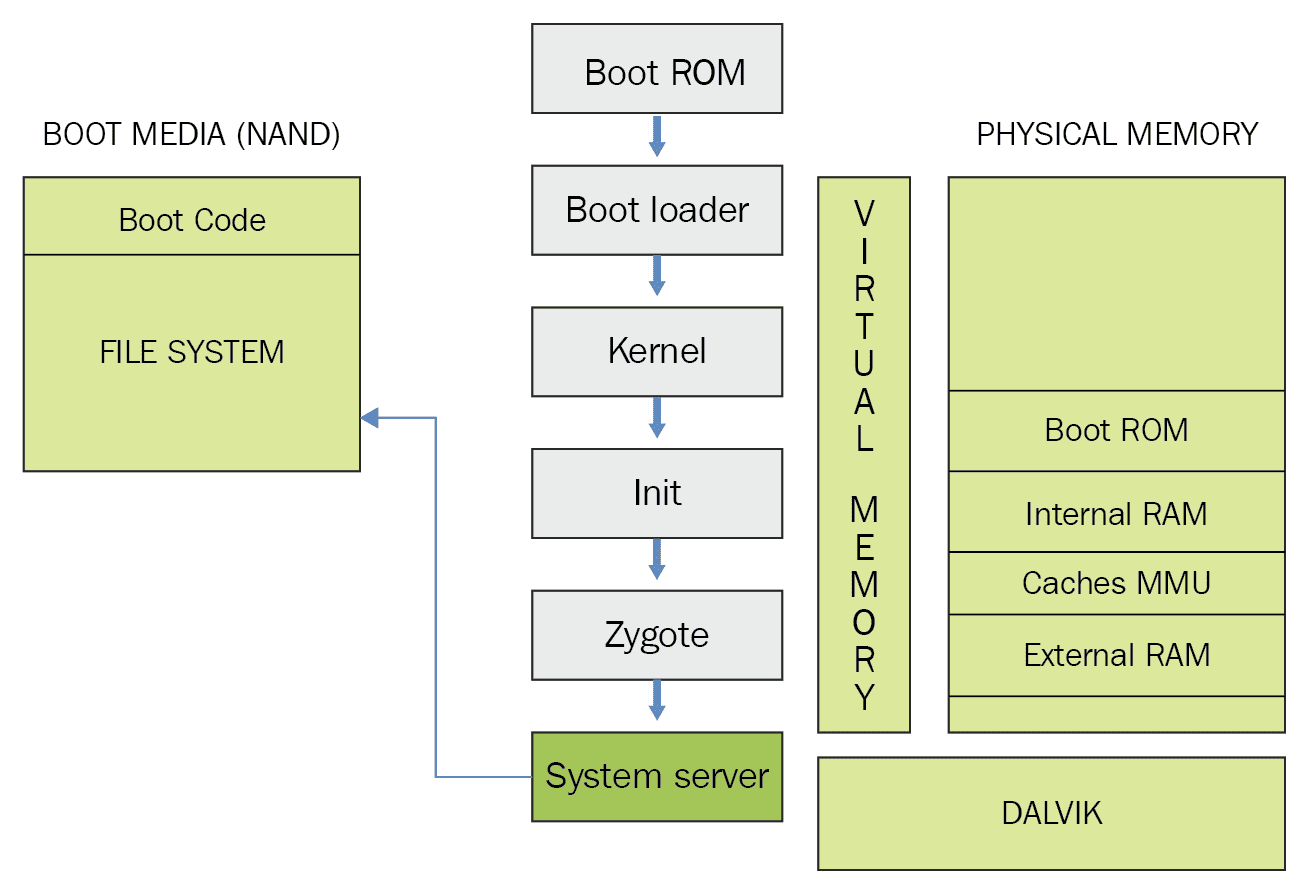
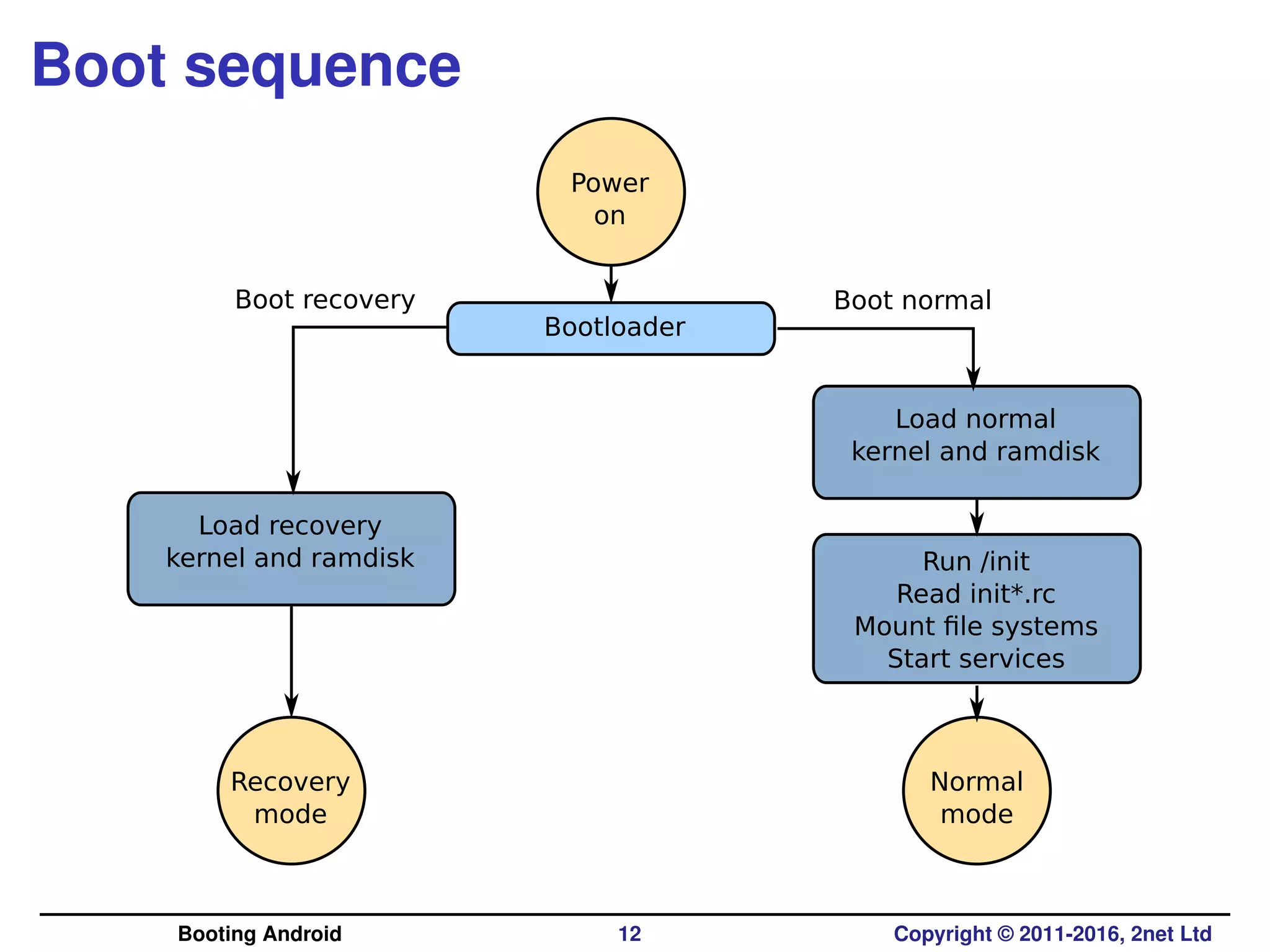
- Boot ROM (hardware code) → 2. Bootloader → 3. Kernel → 4. Init → 5. Android System (or Recovery).
This sequence decides whether you boot into normal Android, Recovery mode, or even Fastboot mode.
1. What is the Bootloader?
The bootloader is the very first software that runs when your phone powers on. Think of it as the gatekeeper:
- It verifies the device hasn’t been tampered with (Verified Boot / Secure Boot).
- It loads the kernel and RAM disk.
- It decides: normal boot, recovery, or fastboot/download mode.
Locked vs Unlocked Bootloader
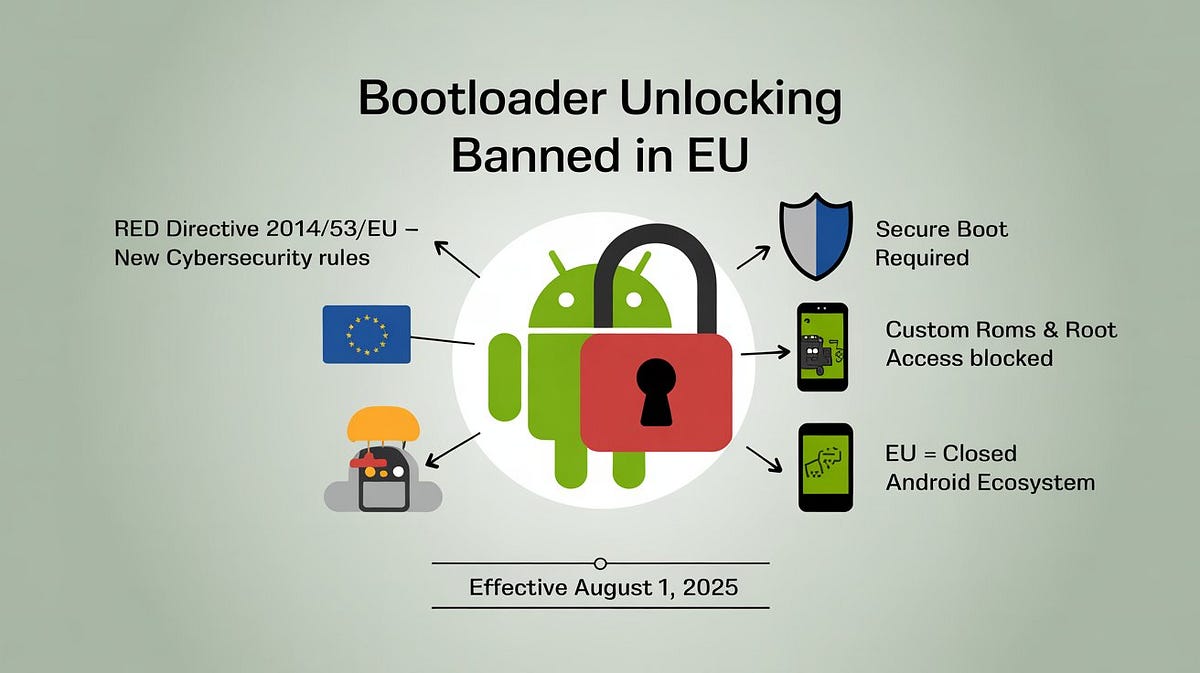
EU soft censorship: the ban on independent and customized smartphones is increasingly undermining user freedom | by 0trust0day | Medium
- Locked (default on most phones): Only allows official signed software. Prevents custom ROMs or root.
- Unlocked: Allows flashing anything. Required for Magisk root, TWRP, and custom ROMs.
How to access it
- Fastboot mode (adb reboot bootloader or volume keys combo). In 2026, many Xiaomi, OnePlus, and Nothing phones still allow easy unlocking via official tools, though Samsung and some Google Pixels have stricter policies.
Warning in 2026: Unlocking usually wipes your data and may trip Knox/Warranty bits on Samsung devices.
2. What is the Kernel?
The kernel is the core of Android — a modified Linux kernel that talks directly to your phone’s hardware.
It handles:
- CPU/GPU scheduling
- Camera, display, sensors, storage drivers
- Security (SELinux)
- Power management

Android OS Architecture: From Kernel to Apps | by Akshay Nandwana | ProAndroidDev
Modern 2026 Reality:
- GKI (Generic Kernel Image): Google’s unified kernel for all devices (Project Treble evolution). Makes custom kernels easier and more stable.
- Many custom ROMs ship with their own kernels (e.g., Kirisakura, Franco Kernel) for better battery, performance, or gaming.
Without the right kernel, nothing else works. It’s the bridge between hardware and software.
3. What is Recovery?
Recovery is a small, separate mini-OS that boots instead of normal Android. You enter it for maintenance.
Stock Recovery (built-in by manufacturer):
- Factory reset
- Apply OTA updates
- Wipe cache

Android recovery mode – Wikipedia
Custom Recovery (TWRP is still king in 2026):
- Flash custom ROMs, ZIPs, kernels
- Full backups (Nandroid)
- Advanced wipe, file manager, terminal
![What Is TWRP Recovery & How To Install & Use It On Android [Guide]](https://www.addictivetips.com/app/uploads/2013/05/TWRP-Tablet-Home-Screen.png)
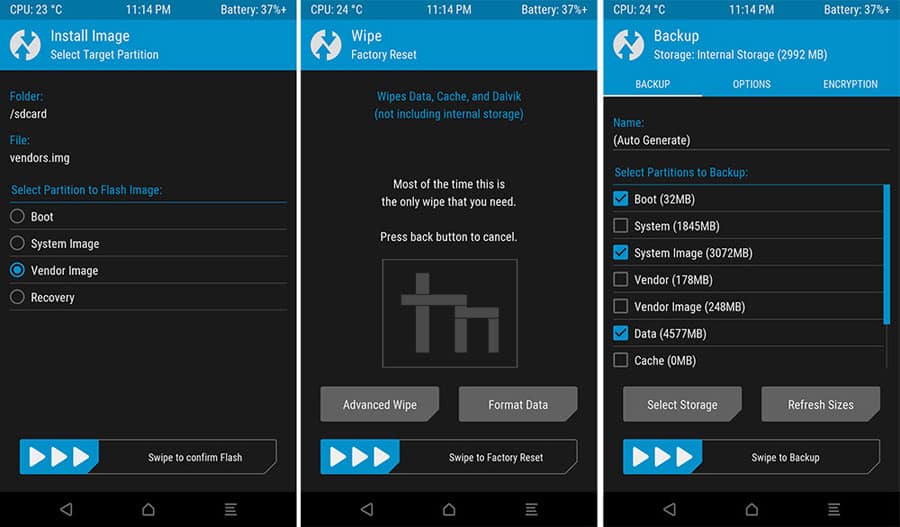
Pro tip: Always flash the latest official TWRP for your device model. In 2026, most popular devices still have active TWRP support.
4. What is a ROM?
ROM stands for Read-Only Memory, but in Android slang it means the complete operating system image — everything from the UI to system apps.
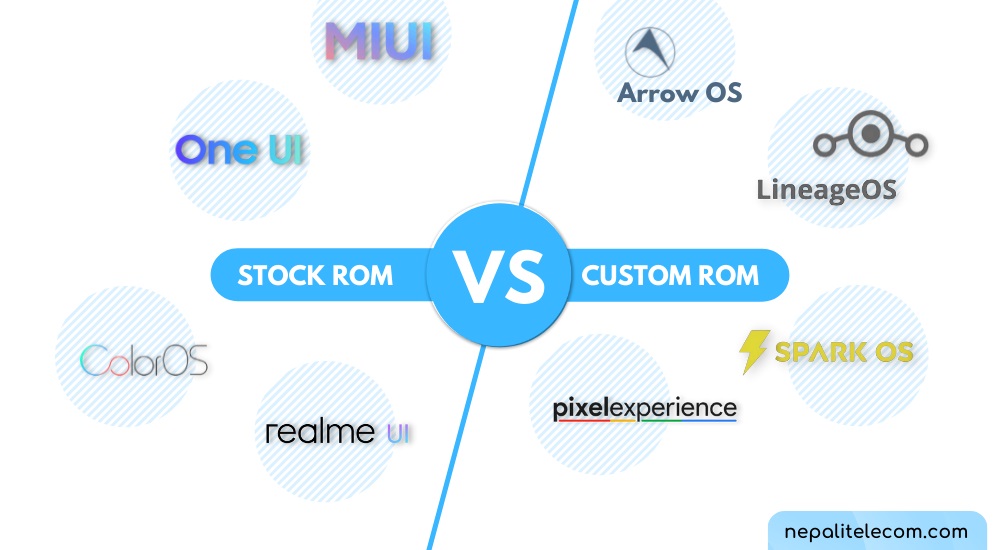
Stock ROM = Official firmware from Samsung (One UI), Google (Pixel UI), Xiaomi (HyperOS), etc.
Custom ROM = Community-built versions, e.g.:
- LineageOS (clean, bloat-free)
- Pixel Experience (Google-like feel on any phone)
- Evolution X, crDroid, DerpFest (feature-packed)

Why flash a custom ROM in 2026?
- Remove bloatware
- Get Android 16 updates on older hardware
- Better privacy (microG builds)
- Gaming tweaks, better battery, custom themes
How Everything Connects (The Full Picture)
| Component | Runs When? | Can You Modify? | Risk Level | Tools Used |
|---|---|---|---|---|
| Bootloader | First (power on) | Unlock only | Medium | fastboot, OEM tools |
| Kernel | After bootloader | Yes | High | Compile/flash custom kernel |
| Recovery | When selected | Yes (TWRP) | Medium | fastboot flash recovery |
| ROM | Normal boot | Yes | High | TWRP + ZIP or fastboot |
Risks & Best Practices (2026 Edition)
- Unlocking bootloader = data wipe + possible warranty void.
- Wrong ROM/kernel = brick (rare if you follow XDA guides).
- Always backup with TWRP first.
- Use official tools + checksums.
- In Pakistan, popular devices like Poco X series and Redmi Note series still have excellent custom development in 2026.
Legal note: In some regions (including EU rules effective 2025), manufacturers are making unlocking harder for “security” reasons.
Ready to Dive In?
If your phone is supported on XDA Developers (still the #1 resource), the process is:
- Unlock bootloader
- Flash TWRP
- Flash custom ROM + GApps (or microG) + Magisk (for root)