In 2026, with USB-C now the universal standard on almost every Android phone (and even recent iPhones), the ability to connect external devices directly to your smartphone has become incredibly useful. This feature is called USB OTG — short for USB On-The-Go.
If you’ve ever wanted to plug a USB flash drive into your phone to transfer files, connect a keyboard for faster typing, or use a game controller for mobile gaming without lag, USB OTG is what makes it possible. In this detailed blog post, we’ll explain exactly what USB OTG is, how it works, and the top practical uses in 2026 — especially relevant for users in Pakistan where affordable Android phones from Samsung, Xiaomi, Infinix, Tecno, and Realme dominate the market.
What is USB OTG?
USB On-The-Go (OTG) is a specification (introduced back in 2001 but widely adopted in smartphones since Android 3.1+) that allows a mobile device like your smartphone or tablet to act as a USB host instead of just a peripheral.
In normal USB connections:
- A computer (host) powers and controls peripherals like flash drives, keyboards, or mice.
- Your phone usually acts as a peripheral when connected to a PC (it gets charged or transfers files via MTP).
With USB OTG, your phone flips the script: it becomes the host, supplies power (limited, usually 100–500mA), and controls connected USB devices directly — no computer required.
This requires:
- A compatible phone (most Android devices from 2015 onward support it; iPhones support similar functionality via Lightning/USB-C adapters since iOS 9+).
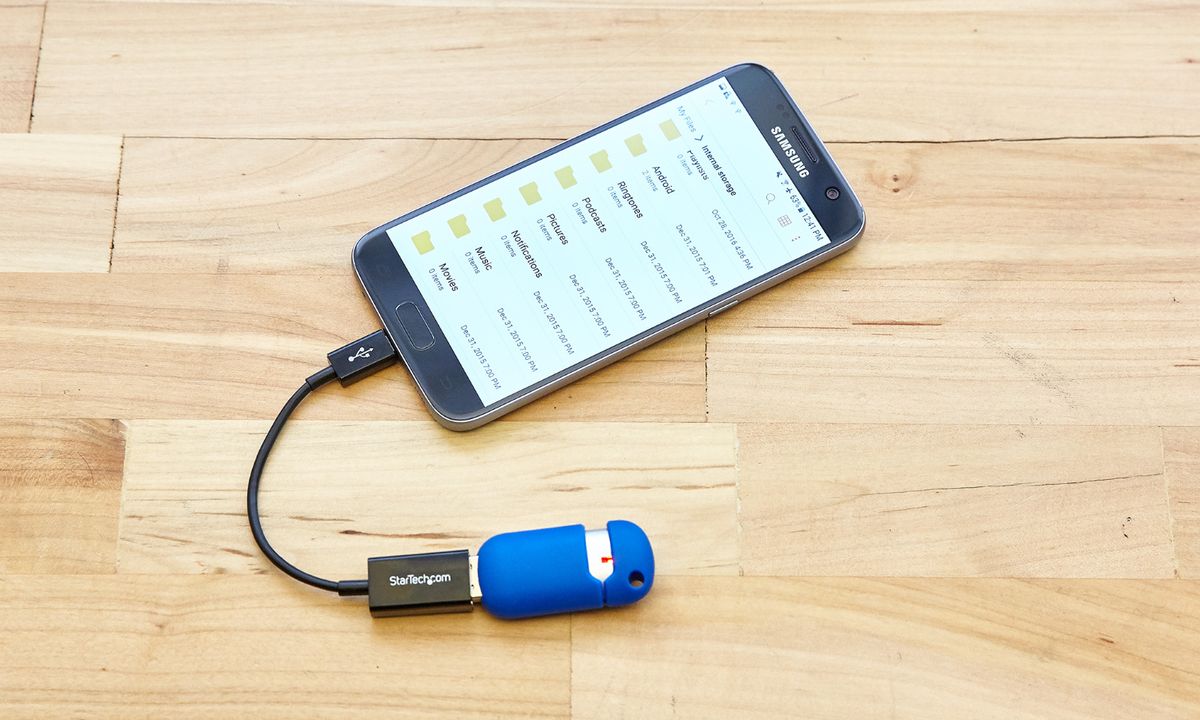
- An OTG adapter/cable — typically a small USB-C (or older micro-USB) to USB-A female adapter.
Modern phones with USB-C often support OTG natively — you can plug in a USB-A device via a simple adapter or use dual-role USB-C drives that work directly.

How to Check if Your Phone Supports USB OTG
- Most Android phones in 2026 support it (Samsung Galaxy A-series, S-series, Xiaomi Redmi/POCO, etc.).
- Quick test: Buy/borrow a cheap USB-C OTG adapter (~Rs. 200–500 in Peshawar markets like Saddar or online), plug in a USB flash drive → if files appear in your file manager (Files by Google, CX File Explorer, etc.), it’s supported.
- Some apps like “USB OTG Checker” on Play Store can confirm.
Top Uses of USB OTG in 2026
Here are the most practical and popular ways people use OTG today:
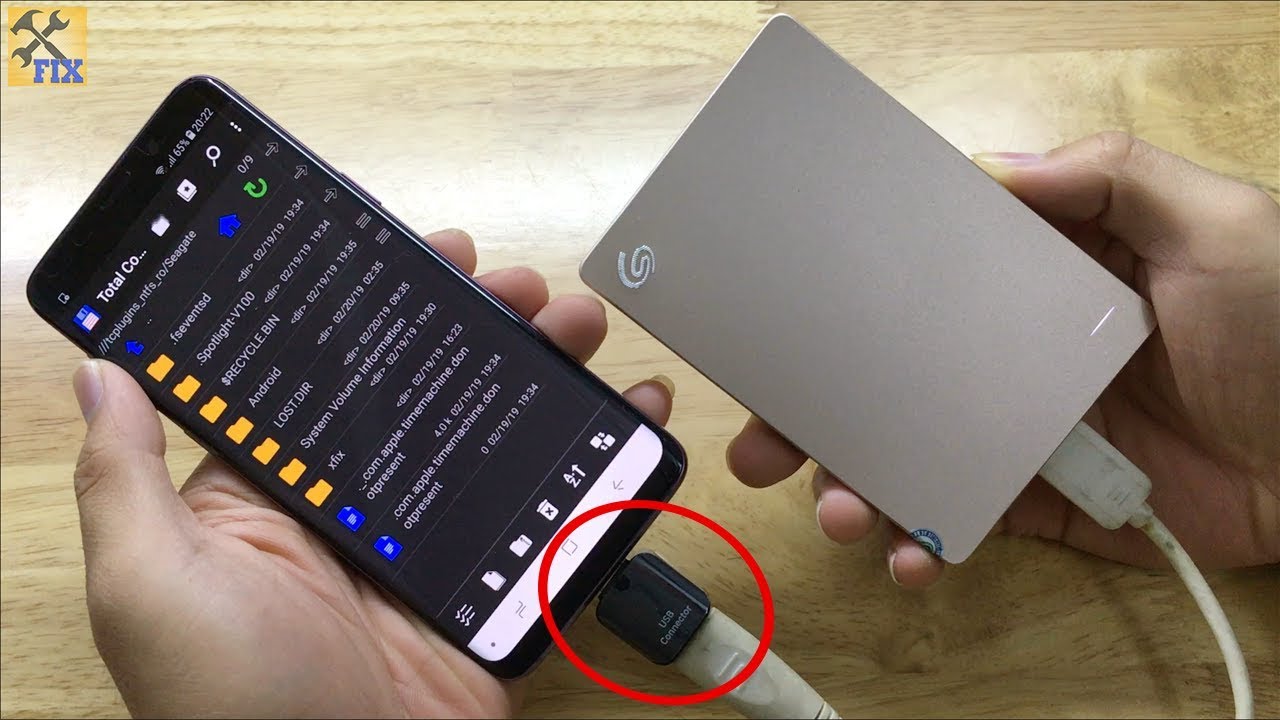
1. Connect USB Flash Drives or External Storage (Most Common Use)
Plug in a pen drive, USB-C flash drive, or portable SSD to transfer photos, videos, documents, movies, or backups instantly.
- No need for cloud or PC.
- Great for students transferring assignments or freelancers moving large files.
- Supports FAT32, exFAT, NTFS (with apps like MiXplorer or Solid Explorer for full read/write).

2. Use a Keyboard and Mouse (Productivity Boost)
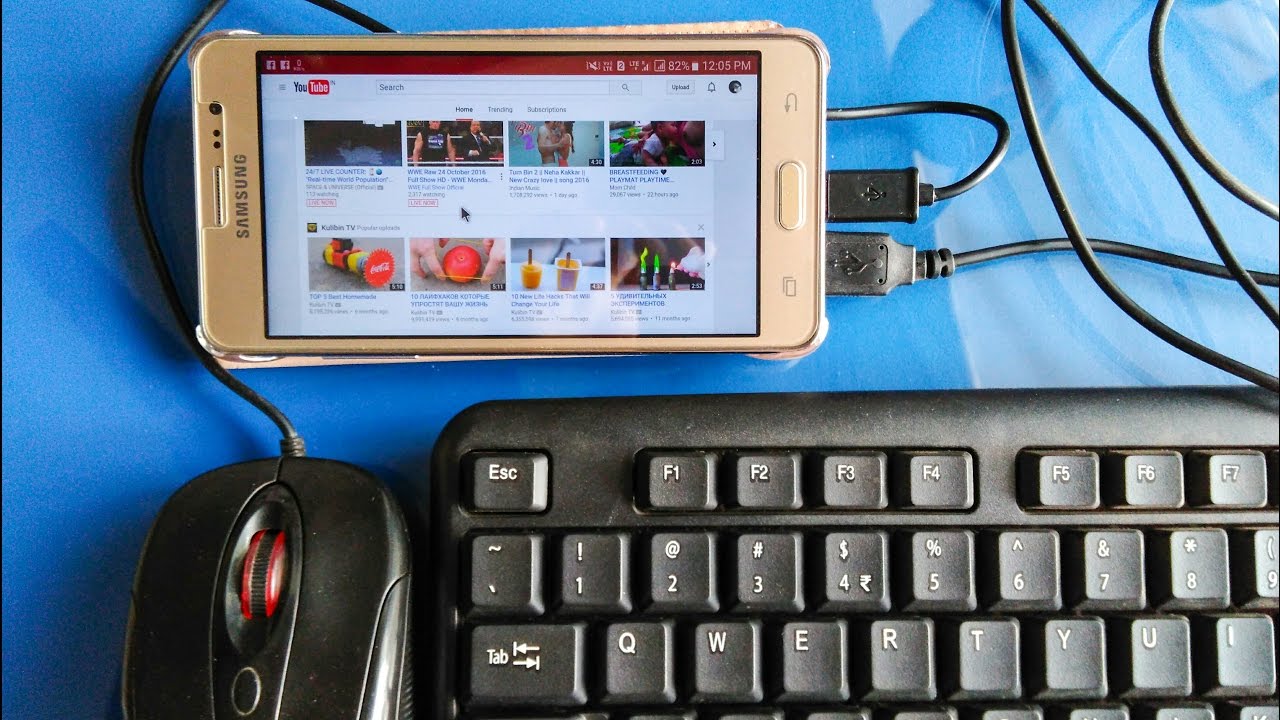
Turn your phone into a mini-PC by connecting a USB keyboard and mouse (via OTG adapter or hub).
- Edit documents in Google Docs/Office apps faster.
- Browse websites or code on the go with desktop-like precision.
- Many users in Pakistan use this for WhatsApp Business replies or university work.

3. Connect Game Controllers
Plug in Xbox, PS4/PS5, or generic USB controllers for better mobile gaming (PUBG Mobile, Call of Duty Mobile, Genshin Impact).
- Wired controllers have zero latency compared to Bluetooth.
- Supports many popular controllers natively on Android.
4. Connect External Hard Drives or SSDs
Access terabytes of data — movies, backups, or project files — directly on your phone.
- Useful for photographers/videographers offloading footage.
- Power-hungry drives may need a powered USB hub or Y-cable.
5. Mobile Printing & Scanning
Connect compatible USB printers (many HP, Canon models work) to print documents or photos from your phone.
- Or connect a USB scanner for quick digitization.
6. Use USB DACs for Better Audio
Connect a USB digital-to-analog converter (DAC) or USB sound card for high-quality wired audio through apps like USB Audio Player PRO.
- Great for music lovers using lossless files or Hi-Res audio.
7. Other Creative Uses
- Connect USB fans/lights (for cooling or emergency lighting).
- MIDI keyboards for music production apps.
- Card readers to import photos from DSLR cameras.
- Ethernet adapters for wired internet (useful in areas with poor Wi-Fi).
Limitations & Tips for Best Results
- Power Draw — Phone supplies limited power; high-power devices (like mechanical HDDs) may need external power.
- File System Support — Use exFAT for large drives.
- Speed — Limited to USB 2.0 speeds on many budget phones; flagships support USB 3.x.
- Battery Drain — OTG uses extra power — keep your phone charged.
- In Pakistan, cheap OTG adapters are widely available at Hafeez Centre (Lahore), Saddar (Peshawar), or online (Daraz.pk).
Final Thoughts
USB OTG remains highly relevant in 2026 — it turns your smartphone from a consumption device into a productive mini-computer. Whether you’re a student in Peshawar transferring lecture notes, a freelancer backing up client files, or a gamer wanting precise controls, OTG adapters (costing just a few hundred rupees) unlock tons of functionality.
Grab a reliable USB-C OTG adapter today and experiment — you’ll wonder how you lived without it!
Have you used OTG on your phone? What’s your favorite use? Share in the comments below!