In 2026, the age-old “Team Blue vs. Team Red” rivalry has moved beyond just clock speeds. It is now a battle of specialized tech: AMD has doubled down on massive cache for gamers, while Intel has pivoted toward hybrid architectures and AI-integrated “Core Ultra” chips.+1
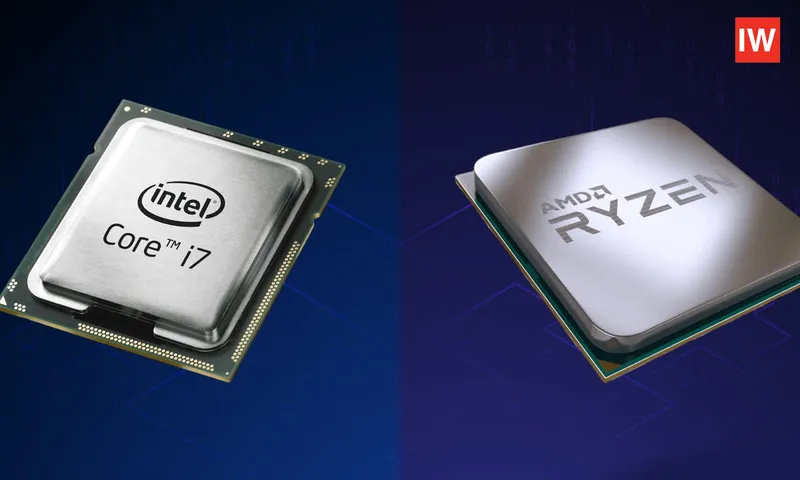
If you’re building a PC or buying a laptop today, here is the definitive breakdown of which processor earns a spot in your machine.
The 2026 Landscape at a Glance
| Feature | Intel (Core Ultra / 14th Gen) | AMD (Ryzen 9000 / X3D Series) |
| Best For | Productivity, Video Editing, AI Tasks | Gaming, Efficiency, Longevity |
| Architecture | Hybrid (P-cores + E-cores) | Unified Zen 5 / 3D V-Cache |
| Platform | LGA 1851 (Newer) | AM5 (Supported through 2027+) |
| Cooling | Often requires high-end AIOs | Generally runs cooler/more efficient |
1. For the Hardcore Gamer: AMD is King
If your PC is a dedicated gaming rig, AMD’s X3D series (like the Ryzen 7 9800X3D) is currently untouchable.
The secret is 3D V-Cache. By stacking extra memory directly on top of the processor, AMD allows the CPU to access game data instantly. In 2026 benchmarks, the 9800X3D consistently beats Intel’s flagship Core Ultra 9 285K in pure gaming frame rates, sometimes by as much as 20–30% in CPU-heavy titles.+1
- Choose AMD if: You want the highest possible FPS and the smoothest “1% lows” (fewer stutters).
2. For the Creative Professional: The Intel Edge
Intel’s Core Ultra series (Arrow Lake) and the i7/i9 14th Gen chips remain the gold standard for workstation tasks.
Intel uses a Hybrid Architecture—a mix of “Performance” cores (P-cores) for heavy lifting and “Efficient” cores (E-cores) for background tasks. Furthermore, Intel QuickSync technology is a game-changer for video editors using Adobe Premiere or DaVinci Resolve, as it hardware-accelerates video rendering in ways AMD still struggles to match.+1
- Choose Intel if: You spend your day rendering 4K video, 3D modeling, or running complex AI localized on your machine.
3. Laptops & Battery Life: The Efficiency War
In 2026, the laptop market has split into two camps:
- Intel (Lunar Lake / Panther Lake): These chips are designed for “Thin and Light” supremacy. Intel’s new focus on the NPU (Neural Processing Unit) means AI features like background blur, live captions, and “Copilot+” tasks run without draining your battery.
- AMD (Ryzen AI 300 Series): AMD often provides better integrated graphics (Radeon 890M). If you want to play Hades II or Cyberpunk 2077 on a laptop without a dedicated GPU, AMD is your best bet.
4. Value and Future-Proofing
This is where AMD often wins the “budget” argument.
- Motherboard Longevity: AMD’s AM5 socket is committed to being supported through 2027. This means you can buy a motherboard today and likely upgrade to a 2027 “Ryzen 11000” chip without buying a new board.
- Intel’s Platform: Intel historically changes sockets every two generations. If you buy a Core Ultra today (LGA 1851), you may need a new motherboard if you want to upgrade in two years.
The Verdict: Which one is for you?
Go with AMD if…
- Gaming is your #1 priority.
- You want a PC that is easy to cool and energy-efficient.
- You want the option to upgrade your CPU in 3 years without rebuilding the whole PC.
Go with Intel if…
+1
- You are a Content Creator (Video, Photo, Music).
- You use AI-heavy software that takes advantage of Intel’s NPU.
- You need the snappiest daily performance in Windows and Office apps.
What’s your current budget for a new build? I can help you pick the specific model (like a Ryzen 5 vs. Core i5) that fits your price range.