Internet Speeds Explained in Detail: Mbps, Gbps, Latency & More – How Fast is Your Internet?
In March 2026, whether you’re streaming 4K Netflix in Islamabad, grinding ranks in PUBG Mobile on Zong 4G, or downloading game updates via PTCL Flash Fiber, internet speed is the make-or-break factor for your online experience. But what do those numbers on your speed test really mean? Why does your connection feel slow even on a “fast” plan? And how does Pakistan’s internet stack up globally?
In this detailed guide, we’ll break down everything: units (Mbps vs Gbps), download vs upload, latency, jitter, what “good” speeds look like for real activities, and current averages in Pakistan (especially Islamabad). Plus, tips to check your own speed and upgrade if needed.
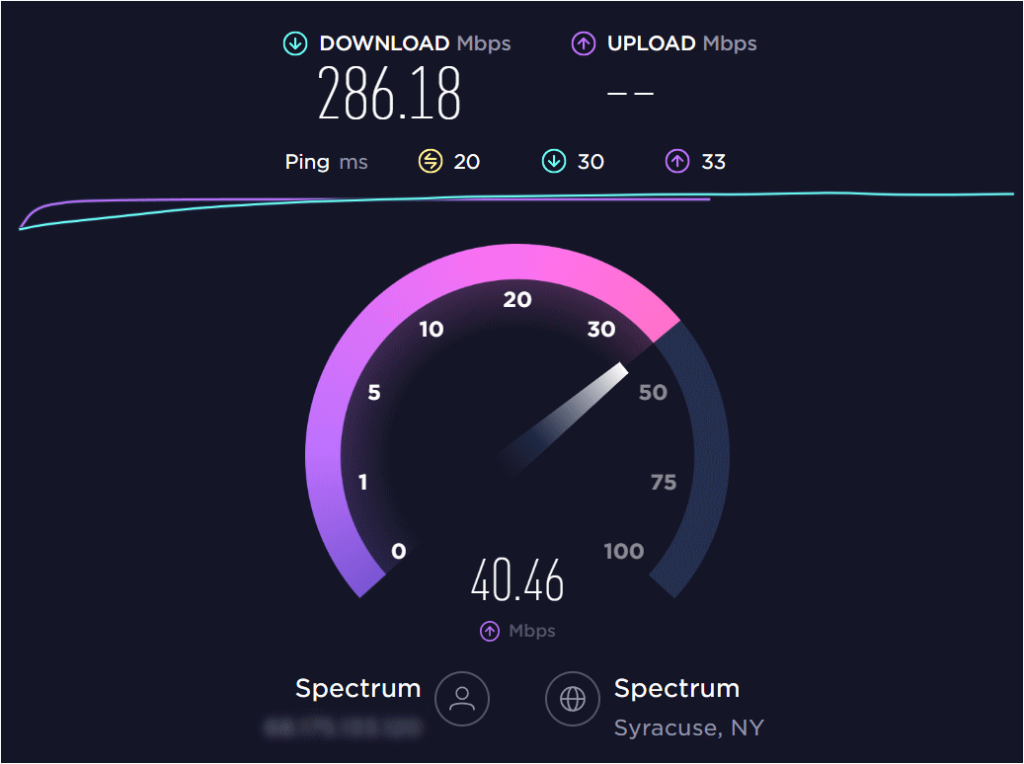
Internet Speed Basics: What Are We Measuring?
Internet speed refers to how quickly data travels between your device and the internet. It’s measured in bits per second (not bytes—more on that later).
Key units:
- Kbps (Kilobits per second) — Old dial-up era (~56 Kbps max).
- Mbps (Megabits per second) — Modern standard. 1 Mbps = 1,000 Kbps = 1 million bits/second.
- Gbps (Gigabits per second) — High-end fiber. 1 Gbps = 1,000 Mbps = 1 billion bits/second.
Quick conversions:
- 10 Mbps ≈ download a 1 GB movie in ~13–15 minutes.
- 100 Mbps ≈ same movie in ~1–2 minutes.
- 1 Gbps ≈ same movie in seconds.
Note: Speed tests show bits (Mb/s), but file downloads show bytes (MB/s). 1 byte = 8 bits, so real-world download speed is roughly 1/8th of advertised Mbps (e.g., 100 Mbps plan ≈ 12.5 MB/s max).
Download vs Upload: The Two Sides of Speed
- Download speed — Data coming to you (streaming Netflix, loading websites, game updates). Most plans advertise this prominently.
- Upload speed — Data going from you (video calls, Twitch streaming, cloud backups, sharing large files on WhatsApp).
In Pakistan:
- Mobile (Jazz/Zong): Upload often 5–12 Mbps even on fast 4G.
- Fiber (PTCL Flash Fiber, Nayatel, StormFiber): More symmetrical (upload closer to download).
Asymmetric plans (fast download, slow upload) are common on cable/DSL, but fiber brings near-equal speeds.
Latency (Ping) & Jitter: Why Speed Isn’t Everything
Even with 500 Mbps, high latency kills gaming or Zoom calls.
- Latency (ping) — Time (in milliseconds) for data to travel round-trip. Measured in ms.
- <30 ms: Excellent (gaming, video calls).
- 30–50 ms: Good.
- 50–100 ms: Noticeable lag.
- 150 ms: Frustrating.
- Jitter — Variation in latency. High jitter causes stuttering in calls/games.
Fiber usually has lowest latency (~5–20 ms), mobile 4G/5G higher (~30–80 ms).
What Speed Do You Actually Need? (2026 Recommendations)
| Activity / Household | Recommended Download | Recommended Upload | Latency Target | Notes |
|---|---|---|---|---|
| Basic browsing, WhatsApp, emails | 5–25 Mbps | 1–5 Mbps | <100 ms | Single user |
| HD streaming (Netflix/YouTube) | 5–10 Mbps per stream | 3–5 Mbps | <50 ms | 1080p |
| 4K/UHD streaming | 25–50 Mbps per stream | 5–10 Mbps | <40 ms | Multiple devices need more |
| Online gaming (PUBG, Valorant) | 25–100 Mbps | 5–10 Mbps | <50 ms (ideally <30) | Low ping > raw speed |
| Competitive gaming + streaming | 100–300 Mbps | 10–20 Mbps | <20 ms | Twitch/YouTube Live |
| Video calls (Zoom/Teams) + work | 10–50 Mbps | 5–10 Mbps | <50 ms | HD group calls |
| Family (4+ devices, streaming + gaming) | 100–500 Mbps | 20+ Mbps | <40 ms | Heavy use |
| Future-proof / large downloads | 500 Mbps–1 Gbps | 100+ Mbps | <20 ms | Fiber ideal |
In 2026, 100 Mbps download + 20 Mbps upload is a solid baseline for most Islamabad households. For serious gamers or 4K multi-streaming families, aim for 300–500 Mbps fiber.
Internet Speeds in Pakistan (March 2026 Snapshot)
Pakistan ranks around 100th globally for mobile and 145th for fixed broadband (Speedtest Global Index, Jan 2026 data).
- National median fixed broadband: ~31 Mbps download, ~30 Mbps upload (improving with fiber expansion).
- Mobile median: ~25–32 Mbps download, ~8–12 Mbps upload (Jazz often leads).
- Islamabad fixed: Among the fastest cities, ~20–24 Mbps median (PTCL Flash Fiber, Nayatel, Transworld top performers).
- Best providers:
- Fixed: PTCL Flash Fiber (top connectivity score), Transworld (fastest in some reports), Nayatel.
- Mobile: Jazz/Zong often fastest downloads.
Fiber rollout is accelerating—plans from 50 Mbps to 1 Gbps are common in urban Islamabad (F-10, G-13, Bahria Town). 5G spectrum auction happened recently; early rollouts in major cities could push mobile speeds toward 50+ Mbps soon.
Compared globally: Singapore tops ~300+ Mbps fixed; Pakistan is catching up fast in cities.
How to Test Your Internet Speed Right Now
- Go to speedtest.net or fast.com (Netflix’s tool).
- Run the test on Wi-Fi (close to router) and wired if possible.
- Test multiple times (different hours) for average.
- Check ping/latency during gaming or calls.
Pro tip: For accurate results, close background apps, pause downloads, and test on Ethernet if testing home broadband.
Why Is My Internet Slow? Common Culprits
- Wi-Fi interference (neighbors, walls, microwaves).
- Too many devices connected.
- Old router (upgrade to Wi-Fi 6).
- Throttling (some ISPs cap after high usage).
- Peak hours congestion.
- Plan limitations (e.g., 10 Mbps mobile bundle).
Final Thoughts: How Fast Is YOUR Internet?
Run a quick test now—what did you get? In Islamabad 2026, if you’re on fiber (PTCL/Nayatel), 50–200 Mbps is common and great for most needs. Mobile 4G/early 5G? 20–50 Mbps is solid for streaming and gaming.
Internet speed isn’t just numbers—it’s smooth Zoom calls with family abroad, lag-free PUBG nights, and buffer-free 4K dramas. If yours feels slow, check your plan, router, or upgrade to fiber—it’s more affordable than ever.
What’s your speed test result? On Jazz, Zong, PTCL, or something else? Drop it in the comments—let’s see how Islamabad stacks up!