Slow Motion, Fast Motion, and FPS Explained: Unlock Cinematic Video Magic
Have you ever watched a bullet shattering in ultra-slow motion or clouds racing across the sky in a mesmerizing time-lapse? These effects aren’t Hollywood wizardry—they’re the result of manipulating frames per second (FPS) during recording and playback. Whether you’re a vlogger, filmmaker, or just curious about video, understanding FPS is your ticket to pro-level footage.
What is FPS? Best Frame Rate Settings for Creators in 2025 | NearHub CA
In this guide, we’ll break down the basics, dive into how slow and fast motion work, share real-world examples, and give you practical tips. Let’s roll!
What is FPS? The Heartbeat of Video
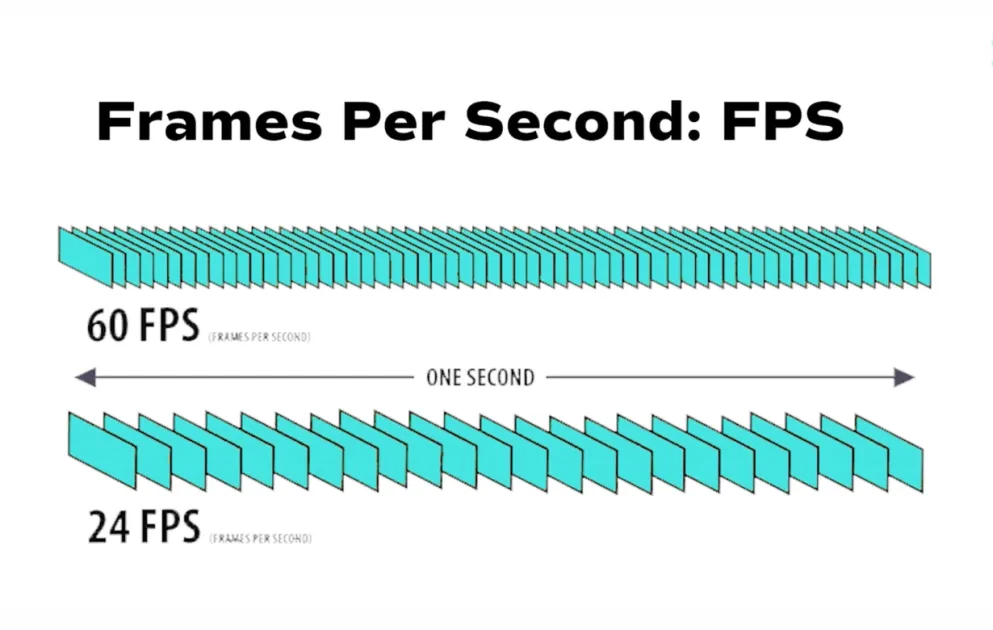
FPS (Frames Per Second) measures how many still images (frames) a camera captures or a player displays every second. Think of video as a flipbook: more frames = smoother motion.
- 24 FPS: Cinematic “film look” (e.g., movies).
- 30 FPS: Standard for TV, YouTube—crisp and natural.
- 60 FPS: Super smooth, ideal for gaming or action.
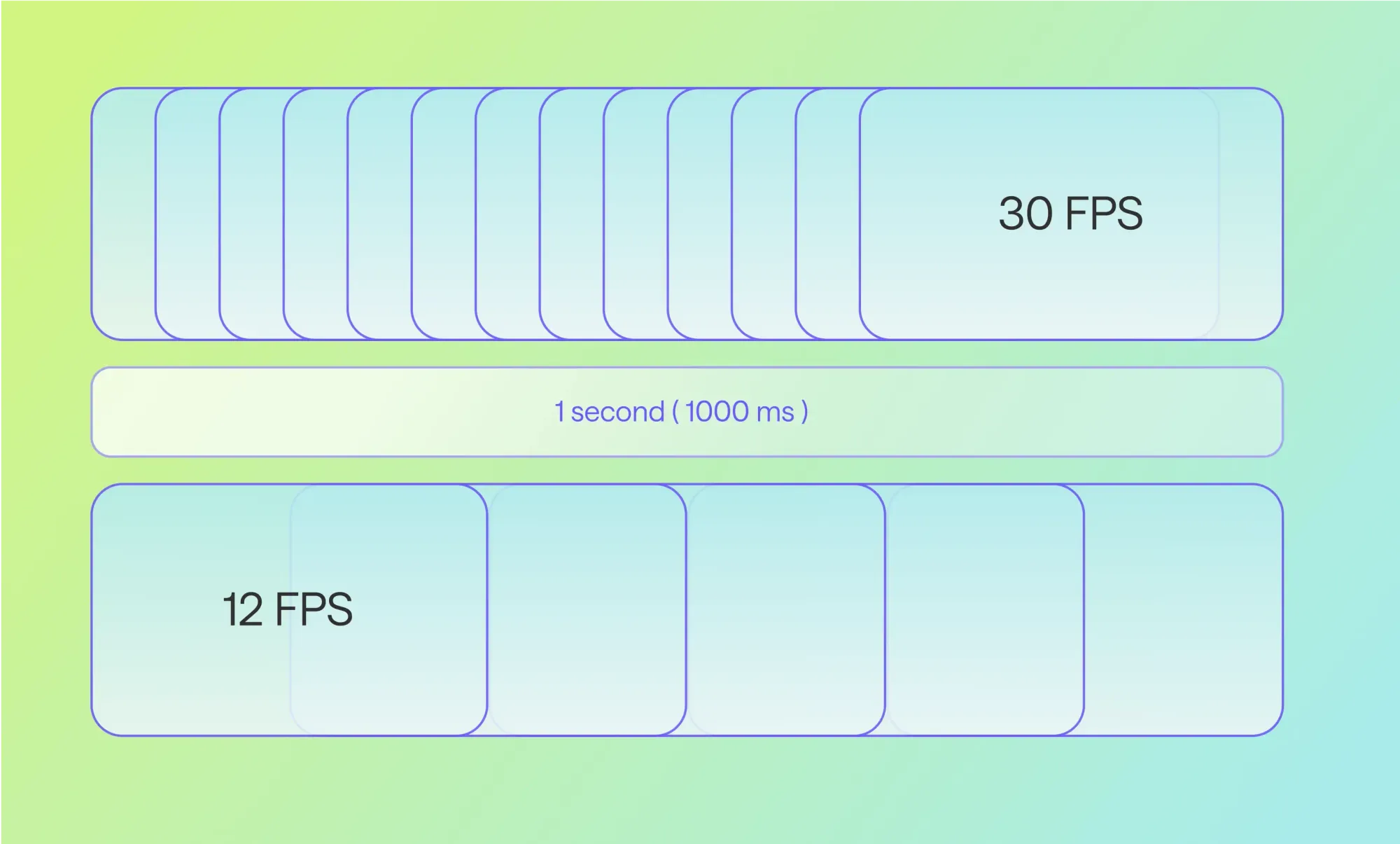
Higher FPS captures more detail in fast action, reducing blur. Here’s a visual breakdown:
What is Frame Rate? A Super Simple Guide for Beginners
At 12 FPS, motion looks choppy. At 30 FPS, it’s fluid. The magic happens when recording FPS ≠ playback FPS.
Slow Motion: Capture the Unseen
Slow motion (aka “slo-mo”) stretches time, revealing details like water droplets exploding or a dancer’s grace. The secret? Record at a HIGH FPS, then play back at a standard LOW FPS.
How It Works
- Record: Camera snaps frames faster (e.g., 120 FPS).
- Playback: Player shows them slower (e.g., 30 FPS).
- Result: 1 real second becomes 4 seconds of video (120/30 = 4x slower).
Formula for Slo-Mo Speed: Slow-Mo Multiplier = Recording FPS / Playback FPS Percentage Speed: (Playback FPS / Recording FPS) × 100%
Example: Record a splash at 240 FPS, play at 30 FPS → 8x slower (25% speed).
| Recording FPS | Playback FPS | Slo-Mo Multiplier | Speed % | Use Case |
|---|---|---|---|---|
| 60 | 30 | 2x | 50% | Mild action (sports highlights) |
| 120 | 30 | 4x | 25% | Dramatic impacts (bullet time) |
| 240 | 30 | 8x | 12.5% | Super slo-mo (pro cameras) |
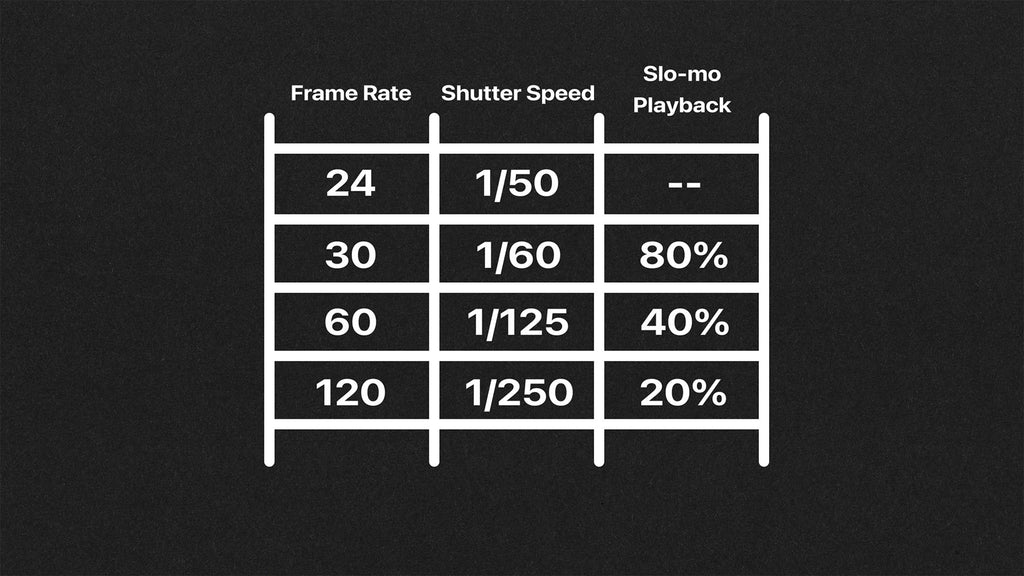
Pro tip: Match shutter speed to twice the FPS (e.g., 1/240s for 120 FPS) for natural motion blur.
Here’s a handy chart for common setups:
Setting the Right Frame Rate and Shutter Speed for your Underwater Foo
Smartphones like iPhones hit 240 FPS at 1080p, while pro cameras (e.g., RED) go to 1000+ FPS.
Fast Motion: Speed Up the World
Fast motion compresses time, like watching a flower bloom in seconds or traffic whizzing by. It’s the opposite of slo-mo: Record at LOW FPS (or intervals), play at HIGH FPS.
How It Works
- Video Speed-Up: Record at 15 FPS, play at 60 FPS → 4x faster.
- Time-Lapse (True Fast Motion): Snap stills every few seconds (interval), compile into 24-30 FPS video.
Example: Photos every 1 second → 24x fast at 24 FPS playback (24 photos = 1 second video).
| Interval | Total Real Time (for 30s video at 30 FPS) | Speed Multiplier | Use Case |
|---|---|---|---|
| 1 second | 15 minutes | 30x | Clouds moving |
| 10 seconds | 2.5 hours | 300x | Sunsets |
| 30 seconds | 25 hours | 3,000x | Stars/stars trails |
Visualize it:

Starting out in timelapse photography? Make your first timelapse video with this step-by-step guide – I will be your photo guide!
Time-lapse skips frames; video speed-up drops them in post (e.g., 400% speed in Premiere).
Common FPS Rates: A Quick Reference Table
| Effect | Recording FPS | Playback FPS | Result | Best For |
|---|---|---|---|---|
| Normal | 24/30/60 | Same | Real-time | Everyday, cinematic |
| Mild Slo-Mo | 60 | 24/30 | 2-2.5x slow | Sports, vlogs |
| Epic Slo-Mo | 120-240 | 24/30 | 4-10x slow | Action films |
| Fast Motion | 12-15 | 30/60 | 2-5x fast | Comedy, transitions |
| Time-Lapse | 1 frame/interval | 24-30 | 100x+ fast | Nature, construction |
Tips for Shooting Slo-Mo and Fast Motion
- Lighting: High FPS needs bright light (faster shutter = less exposure).
- Storage: 240 FPS eats space—use fast cards.
- Post-Production: In DaVinci Resolve or Premiere, interpret footage at project FPS for perfect speed.
- Avoid Artifacts: Don’t just slow normal footage—record high FPS for smoothness.
- Apps/Cameras: GoPro for 240 FPS action; DSLRs for time-lapse intervals.
Wrap-Up: Master FPS, Master Storytelling
FPS isn’t just a setting—it’s a superpower. Slo-mo adds drama, fast motion injects energy. Experiment: Film your next coffee pour at 120 FPS or a sunset time-lapse. Your audience will thank you!
Got questions? Drop a comment. What’s your favorite slo-mo shot? Share below! 🚀