Every day, more than 450,000 new pieces of malicious software are detected and registered by cybersecurity researchers worldwide. That is not a typo — nearly half a million new threats, every single day. They arrive through email attachments, compromised websites, infected USB drives, malicious advertisements, fake software updates, and dozens of other delivery mechanisms. They steal passwords, encrypt files for ransom, spy on victims, recruit devices into criminal networks, and cause billions of dollars in damage annually.
Yet despite this staggering scale, most people’s understanding of the threats they face online is vague at best. Terms like “virus,” “malware,” “trojan,” and “worm” are often used interchangeably — even by journalists and IT professionals who should know better. They are not the same thing. Each represents a distinct category of threat with different behaviors, different infection mechanisms, different goals, and different defenses.
This guide cuts through the confusion. We will start from the ground up, explain what malware is as an umbrella concept, then go deep into each major category — viruses, trojans, and worms — as well as the broader malware ecosystem of ransomware, spyware, adware, rootkits, botnets, and more. By the end, you will understand not just the definitions but the real-world mechanics, historical examples, and defensive strategies for each.
Part One: What Is Malware?
The Definition
Malware is a portmanteau of “malicious software.” It is the umbrella term for any software program, script, or code that is intentionally designed to cause harm to a computer system, network, user, or organization. The harm can take many forms: stealing data, destroying files, demanding ransom, spying on users, disrupting services, providing unauthorized access, or using the victim’s resources for the attacker’s benefit.
The key word is intentional. Buggy software that accidentally causes data loss is not malware. Software designed and deployed specifically to cause harm or unauthorized access is malware, regardless of how it is delivered, what it does, or who wrote it.
Malware is the broadest category in the threat landscape. Viruses, trojans, worms, ransomware, spyware, adware, rootkits, keyloggers, and botnets are all types of malware. Saying “I got a virus” when you mean “I got malware” is like saying “I got a Ford” when you mean “I got a vehicle” — technically it might be true, but it might also be a Toyota, a truck, a motorcycle, or something else entirely.
Who Creates Malware and Why?
Understanding the motivations behind malware helps understand its nature and design.
Financial gain is the dominant motive in the modern era. Ransomware gangs encrypt victims’ data and demand payment for the decryption key. Banking trojans steal credentials for financial accounts. Keyloggers harvest credit card numbers. Cryptomining malware uses victims’ hardware to mine cryptocurrency for attackers. The cybercrime economy is massive — estimated at over $8 trillion annually — and malware is its primary tool.
Espionage and intelligence gathering drives nation-state malware development. Government-sponsored groups create sophisticated malware to spy on foreign governments, steal intellectual property, and conduct strategic intelligence operations. Stuxnet (attributed to the US and Israel), Flame, Duqu, and more recently Volt Typhoon (attributed to China) represent this category. These are some of the most technically sophisticated pieces of software ever written.
Disruption and destruction motivates some attackers who want to damage infrastructure, disrupt organizations, or cause chaos. NotPetya (2017), which caused over $10 billion in damages globally, was a destructive cyberweapon disguised as ransomware. The 2007 cyberattacks on Estonia, widely attributed to Russia, used botnets to take down government, banking, and media websites.
Hacktivism — politically or ideologically motivated hacking — uses malware to embarrass or harm organizations the attackers oppose. Anonymous-affiliated groups and others have used DDoS tools and defacement malware to target governments, corporations, and other entities.
Personal vendettas motivate some individuals who write malware to target specific people or organizations they have grievances against.
Curiosity and notoriety motivated many early malware authors, particularly before the commercial cybercrime economy matured. The original Morris Worm (1988) was written by a graduate student as an experiment that got badly out of hand.
The Malware Ecosystem
Modern malware operates within a sophisticated criminal ecosystem:
Malware-as-a-Service (MaaS) allows cybercriminals to rent malware tools, infrastructure, and support from developers, just like legitimate software-as-a-service. Ransomware-as-a-Service (RaaS) is particularly prevalent — criminal groups like REvil and DarkSide developed ransomware platforms and rented them to “affiliates” who carried out attacks in exchange for a percentage of ransom payments.
Initial Access Brokers are criminals who specialize in compromising networks and then selling that access to other criminals rather than exploiting it themselves.
Underground markets on the dark web buy and sell stolen credentials, malware tools, exploits for unpatched vulnerabilities, and compromised system access.
Money mule networks launder the proceeds of malware attacks through layers of cryptocurrency transactions and compromised bank accounts.
This ecosystem means that even relatively unsophisticated criminals can conduct sophisticated malware attacks by purchasing ready-made tools, access, and services.
Part Two: Computer Viruses — The Original Threat
What Is a Computer Virus?
A computer virus is a type of malware that, like its biological namesake, has two defining characteristics: it attaches itself to a legitimate host file and it replicates by infecting other files when the infected file is executed. These two properties — self-replication through host file infection — are what technically define a virus and distinguish it from other malware categories.
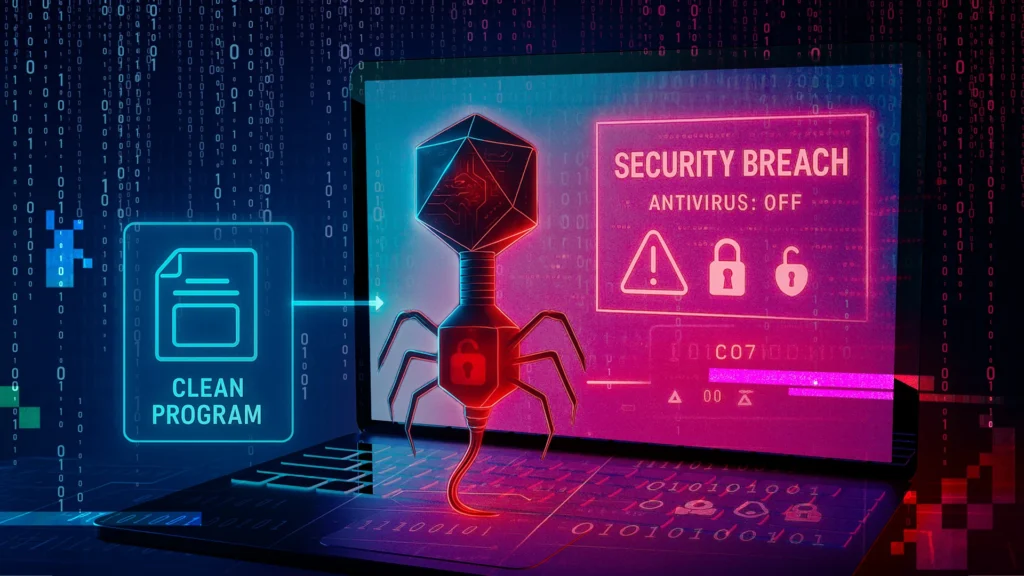
When you execute an infected file, the virus code runs first (or alongside the legitimate program), performs whatever malicious action it is designed to take, and then attempts to spread by attaching copies of itself to other executable files, documents, or disk sectors on the system.
How a Virus Infects a System
The lifecycle of a computer virus typically follows several stages:
Infection — The virus arrives on the system through some vector: an infected file downloaded from the internet, an attachment in a phishing email, a file shared via USB drive, or a network share. The virus code is embedded within the host file — an executable (.exe, .com), a document with macros (.docm, .xlsm), a script file, or even the boot sector of a disk.
Dormancy — Many viruses include a dormant phase where they have infected the system but are not yet active, waiting for a trigger condition: a specific date, a certain number of system reboots, the user opening a specific application, or simply any execution of the infected file.
Propagation — Once active, the virus searches for new files to infect. A file-infecting virus scans the file system for executable files and appends or prepends its code to them. A macro virus searches for documents that support macros. A boot sector virus propagates to the boot sectors of any removable media connected to the infected machine.
Payload Execution — The virus executes its payload: displaying a message, corrupting or deleting files, encrypting data, stealing information, or any other malicious action the author designed.
Types of Viruses
File-Infecting Viruses attach to executable program files. When the infected executable is run, the virus runs too. The original COM and EXE file viruses of the DOS era were predominantly file infectors. The Jerusalem virus (1987) is one of the earliest known examples — it deleted any program run on a Friday the 13th.
Boot Sector Viruses infect the Master Boot Record (MBR) or Volume Boot Record (VBR) of storage devices — the code that runs before the operating system loads. Because they load before the OS, they can be difficult to detect and remove. The Michelangelo virus (1991), which threatened to overwrite infected hard drives on March 6th (Michelangelo’s birthday), became a media phenomenon and one of the first viruses to cause mainstream public awareness of cyberthreats.
Macro Viruses infect documents that support embedded macros — automated scripts within word processors, spreadsheets, or other productivity applications. The explosion of macro viruses in the mid-1990s coincided with the widespread adoption of Microsoft Office. The Melissa virus (1999) was a landmark macro virus that spread via infected Word documents sent through email, causing an estimated $80 million in damage and prompting the FBI’s first major cybercrime investigation.
Polymorphic Viruses change their code signature with each infection, making them difficult to detect with traditional signature-based antivirus. The virus engine rewrites itself, changes variable names, reorders instructions, or inserts junk code — but the underlying behavior remains the same. Virut and Sality are notorious polymorphic viruses that were widespread in the late 2000s and early 2010s.
Metamorphic Viruses go further than polymorphic viruses — they completely rewrite their own code with each generation, not just obfuscating it but fundamentally restructuring it while preserving functionality. These are among the most technically sophisticated malware types and among the hardest for traditional detection methods to catch.
Multipartite Viruses infect multiple targets simultaneously — both boot sectors and executable files — making them harder to fully remove, since leaving any single infected component allows reinfection.
Stealth Viruses actively try to hide their presence by intercepting system calls and returning false information. If an antivirus queries an infected file’s contents, a stealth virus intercepts the query and returns the original uninfected file contents — hiding the infection from the scan.
Notable Historical Virus Examples
Brain (1986) — often cited as the first IBM PC virus, written by two Pakistani brothers, Basit and Amjad Farooq Alvi, originally to protect their medical software from piracy. It infected boot sectors of floppy disks and displayed a message with their contact information.
CIH / Chernobyl (1998) — a devastating file infector that, on its trigger date (the anniversary of the Chernobyl nuclear disaster), overwrote the host computer’s BIOS chip and the first megabyte of the hard drive, rendering many infected computers completely inoperable. Estimated to have damaged 60 million computers worldwide.
ILOVEYOU (2000) — technically more of a worm (it spread via email automatically) but often called a virus. A VBScript file sent as an email attachment with the subject “ILOVEYOU” that, when opened, overwrote files and mailed itself to every contact in the victim’s Outlook address book. It infected tens of millions of computers within days and caused an estimated $10 billion in damage.
Viruses Today
In the modern threat landscape, pure file-infecting viruses are less common than they once were. The shift to cloud-based software delivery, regular operating system updates, improved default-deny execution policies, and the prevalence of mobile platforms that do not allow arbitrary code execution have made traditional file-infecting viruses less effective as attack vectors. However, macro viruses targeting Microsoft Office documents remain active, and the virus techniques of polymorphism and stealth have been incorporated into more modern malware categories.
Part Three: Trojan Horses — Deception as the Attack Vector
What Is a Trojan?
A Trojan horse (or simply Trojan) is malware that disguises itself as legitimate, benign, or desirable software to trick users into installing or executing it. The name comes directly from the ancient Greek story: the Greek army gifted the city of Troy a giant wooden horse, which the Trojans brought inside their walls not knowing it contained Greek soldiers who emerged at night to open the gates. The malware analogy is exact — the threat hides inside something that appears trustworthy.
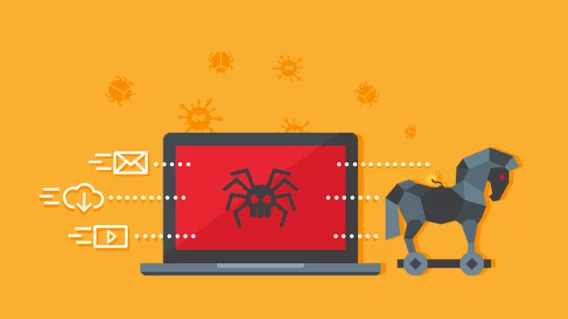
The critical distinction between a Trojan and a virus is self-replication. Trojans do not typically replicate themselves or infect other files. They rely entirely on social engineering — deceiving the user into installing them. Once installed, they execute their malicious payload, but they do not spread by infecting other programs.
Trojans rely on deception at every level: they may appear as legitimate software (a free game, a utility program, a productivity tool, a system update), arrive in convincing packaging (professional-looking emails, fake software download websites, app stores with fake reviews), and may even appear to function as advertised while conducting malicious activities in the background.
How Trojans Are Delivered
Phishing emails are the most common delivery mechanism. An email appears to be from a trusted source — a bank, a shipping company, a government agency, a colleague — and contains a malicious attachment (an invoice, a shipping notice, a resume, a PDF) or a link to a website that delivers the Trojan.
Fake software downloads — Malicious websites impersonate legitimate software vendors or appear in search results for popular software. Users searching for “free Photoshop download” or “VLC media player” may find convincing fake pages that deliver Trojans disguised as the desired software.
Software bundling — Legitimate software installers bundle additional software that users must explicitly opt out of (or often cannot opt out of). Some of this bundled software is benign adware; some is more malicious. This technique exploits users who click “Next, Next, Next, Finish” through installers without reading each screen.
Malvertising — Malicious advertisements on legitimate websites can download and execute Trojans via drive-by download exploits that take advantage of unpatched browser or plugin vulnerabilities, sometimes without any user interaction beyond visiting the page.
Fake system alerts — Pop-ups mimicking Windows or macOS error messages warn users of (nonexistent) viruses or system problems and urge them to download a “fix” — which is itself the Trojan. This is the mechanism behind much tech support scam malware.
Compromised legitimate software — In supply chain attacks, attackers compromise a legitimate software vendor’s build or distribution infrastructure and insert malicious code into otherwise legitimate software updates. The SolarWinds attack (2020) was a devastating example: attackers inserted Trojaned code into a software update for SolarWinds’ Orion IT monitoring platform, which was then automatically distributed to approximately 18,000 organizations, including US government agencies.
Types of Trojans
Remote Access Trojans (RATs) are among the most dangerous and widely used Trojan types. Once installed, a RAT opens a covert communication channel between the victim’s system and the attacker’s command-and-control server, giving the attacker complete remote control over the infected machine. The attacker can browse files, execute programs, take screenshots, activate the webcam and microphone, log keystrokes, download and upload files, and use the compromised system as a launching point for attacks on other systems.
Notable RATs include DarkComet, njRAT, AsyncRAT, and the sophisticated Gh0st RAT associated with Chinese state-sponsored actors. The SubSeven and Back Orifice RATs of the late 1990s were early examples that established many techniques still used today.
Banking Trojans specialize in stealing financial credentials. They inject malicious code into banking websites viewed in the victim’s browser (a technique called web injection or man-in-the-browser), modifying what the user sees to capture credentials, intercept transactions, and sometimes redirect transfers to attacker-controlled accounts — all while showing the user a normal-looking banking interface.
Zeus (also known as Zbot) is the most infamous banking Trojan. First identified in 2007, it eventually infected millions of machines and stole hundreds of millions of dollars. Its source code was leaked in 2011, spawning dozens of derivative banking Trojans including SpyEye, ICE IX, and Gameover Zeus (which was also a botnet).
TrickBot, Emotet, and Dridex are more recent banking Trojans that have evolved into sophisticated modular malware platforms used as initial access tools for ransomware gangs.
Downloader and Dropper Trojans serve as the initial infection vector, establishing a foothold on the system and then downloading and installing additional malware — the actual payload. This two-stage approach helps evaders bypass security controls: the initial dropper may be small and lightly obfuscated, while the real payload is downloaded only after the dropper has confirmed a suitable victim environment.
Rootkit Trojans combine Trojan delivery with rootkit capabilities (discussed later), installing themselves deep in the operating system to hide their presence from security software.
Ransomware Trojans pose as legitimate software and, once installed, encrypt the victim’s files and demand payment for decryption. Most modern ransomware is delivered via Trojan mechanisms.
Keylogger Trojans record every keystroke the user makes and transmit the logs to the attacker, capturing passwords, credit card numbers, personal messages, and any other typed information.
Cryptominer Trojans silently use the victim’s CPU and GPU resources to mine cryptocurrency for the attacker, causing performance degradation and increased electricity consumption without any direct financial theft from the victim.
Spyware Trojans silently monitor user activity — browsing history, application usage, location data, communications — and transmit this data to the attacker. Some spyware Trojans are deployed by stalkers or abusive partners to monitor victims; others are used by cybercriminals for intelligence gathering prior to financial theft.
Notable Trojan Examples
Emotet (2014–2021) — began as a banking Trojan, evolved into a modular malware platform and botnet distribution service used to deliver TrickBot, ransomware, and other payloads to millions of victims. Law enforcement agencies from multiple countries took down Emotet’s infrastructure in January 2021 in one of the largest coordinated cybercrime operations in history — but variants re-emerged months later.
Pegasus (2016–present) — a sophisticated commercial spyware Trojan developed by the Israeli company NSO Group and sold to government clients. Pegasus can infect both iOS and Android devices, activate the microphone and camera, read encrypted messages, and exfiltrate virtually all data on the device — often via zero-click exploits that require no user interaction at all. Its use against journalists, activists, and politicians worldwide has made it one of the most controversial surveillance tools in history.
SolarWinds/SUNBURST (2020) — the supply chain Trojan that compromised thousands of organizations via a legitimate software update. The malware lay dormant for up to two weeks after installation to avoid sandbox detection, then established a covert communication channel and allowed attackers to move laterally through victim networks. The operation, attributed to Russia’s SVR intelligence service, is considered one of the most significant cyberespionage campaigns in history.
Part Four: Worms — Self-Propagating Network Threats
What Is a Computer Worm?
A computer worm is a type of malware that replicates itself and spreads across networks automatically, without requiring user interaction and without needing to attach to a host file. This is the key distinction: unlike a virus, which needs a user to execute an infected file to spread, and unlike a Trojan, which relies on deceiving a user into installing it, a worm propagates independently by exploiting network connectivity and vulnerabilities.
Worms scan networks for vulnerable systems, exploit a vulnerability or use authentication credentials to gain access, copy themselves to the new host, and then repeat the process from the newly infected system. A single worm release can propagate to thousands or millions of systems within hours through this exponential self-replication.
The biological analogy is apt: worms spread like a contagious infection spreading through a population, with each infected host becoming a new vector for infecting others.
How Worms Spread
Exploiting network service vulnerabilities — Worms scan IP address ranges for systems running vulnerable services and exploit unpatched security flaws to gain unauthorized access. The EternalBlue exploit (leaked from the NSA’s toolkit by the Shadow Brokers group in 2017) targeted a critical vulnerability in Windows’ SMB (Server Message Block) file-sharing protocol and was used to spread WannaCry and NotPetya with devastating speed.
Email propagation — Some worms spread by emailing themselves to contacts found in the victim’s address book, Outlook contacts, or browser history. The recipient sees an email from someone they know and is more likely to open the attachment. ILOVEYOU, Melissa, and MyDoom used this technique.
Instant messaging and social media — Worms can spread via messaging platforms by sending malicious links to a victim’s contacts, appearing as if they are sent by the victim themselves.
Network shares and removable media — Worms can copy themselves to shared network drives and USB drives, spreading to any system that accesses those resources.
Peer-to-peer networks — Worms spread through P2P file-sharing networks by disguising themselves as popular files (songs, movies, software) that users download and execute.
Exploitation of weak credentials — Some worms attempt to log in to services (SSH, RDP, SMB) using default credentials or common username/password combinations, spreading to systems with weak authentication.
The Payload of Worms
The act of spreading is not the only thing worms do — they carry payloads that execute on every infected system:
Consumption of system resources — Even worms without an explicit malicious payload cause harm by consuming network bandwidth, CPU cycles, and memory as they replicate. The original Morris Worm was unintentionally destructive in this way — a bug in its replication code caused it to infect systems multiple times, eventually crashing them under the load.
Installation of backdoors — Many worms install a backdoor that allows attackers remote access to the infected system, or enroll the system in a botnet.
Payload delivery — Worms can deliver any type of malware payload to every system they infect: ransomware, banking trojans, spyware, or destructive payloads.
Data theft — Some worms are designed primarily to steal data from infected systems and transmit it to the attacker.
Destructive payloads — Some worms are designed to cause direct damage: deleting files, corrupting data, or even physically damaging hardware by causing it to operate outside safe parameters.
Notable Worm Examples
Morris Worm (1988) — the first major internet worm, written by Cornell graduate student Robert Tappan Morris. It exploited vulnerabilities in Unix’s sendmail, fingerd, and rsh/rexec services. A bug caused it to reinfect systems multiple times, eventually overwhelming approximately 6,000 machines (roughly 10% of the internet at the time). Morris was the first person convicted under the US Computer Fraud and Abuse Act.
Code Red (2001) — a worm that exploited a buffer overflow vulnerability in Microsoft IIS web server software. Within 14 hours of its first detection, it had infected approximately 359,000 machines. It defaced websites with the message “Hacked By Chinese!” and launched a distributed denial-of-service attack against the White House website.
SQL Slammer (2003) — one of the fastest-spreading worms in history. It exploited a vulnerability in Microsoft SQL Server, and its entire code fit in a single 376-byte UDP packet. At its peak, SQL Slammer doubled in size every 8.5 seconds and infected approximately 75,000 servers within 10 minutes of release, causing widespread internet slowdowns and taking down critical infrastructure including South Korean internet services and 911 emergency call centers in the US.
Blaster / MSBlast (2003) — exploited a vulnerability in Windows RPC (Remote Procedure Call), spreading to millions of Windows XP and 2000 machines. Its payload attempted to launch a DDoS attack on Microsoft’s Windows Update site on August 16th, and it contained the message “billy gates why do you make this possible? Stop making money and fix your software!!”
Conficker (2008) — one of the most sophisticated worms ever observed, infecting an estimated 9–15 million computers across 190 countries through multiple propagation vectors: the MS08-067 Windows vulnerability, weak password attacks, and USB drives. Conficker built an enormous botnet and used sophisticated encryption and peer-to-peer communication to evade takedown efforts. At its peak, it was described as the largest known botnet in existence. Despite years of effort by the Conficker Working Group — a coalition of security researchers, technology companies, and government agencies — Conficker was never fully eliminated.
Stuxnet (2010) — arguably the most technically sophisticated and consequential worm ever created. Attributed to a joint US-Israeli intelligence operation (codenamed “Olympic Games”), Stuxnet was designed with extreme precision to target Iran’s nuclear enrichment program at Natanz. It spread via USB drives and network shares, used four zero-day vulnerabilities simultaneously (an unprecedented capability), spread silently through Windows systems, and activated its payload only when it detected the specific Siemens SCADA control systems used to operate Iranian uranium enrichment centrifuges — then subtly manipulated centrifuge speeds while reporting false normal readings to operators, physically destroying centrifuges over time. Stuxnet demonstrated that cyberweapons could cause physical, real-world destruction and permanently changed the geopolitical conversation about cyber warfare.
WannaCry (2017) — a ransomware worm that combined the EternalBlue SMB exploit (leaked from the NSA) with a ransomware payload. It spread globally within hours on May 12, 2017, infecting over 200,000 systems in 150 countries. Among its most damaging impacts was crippling the UK’s National Health Service, forcing hospitals to turn away patients, cancel appointments, and revert to paper records. A security researcher accidentally activated a “kill switch” in the worm’s code (by registering an unregistered domain hardcoded in the malware), limiting but not stopping the damage. WannaCry is estimated to have caused $4–8 billion in total damage.
NotPetya (2017) — initially appearing similar to a ransomware worm, NotPetya was actually a cyberweapon disguised as ransomware — the encryption was designed to be irreversible, with no actual mechanism to restore files even if ransom was paid. Attributed to Russia’s GRU military intelligence, it was deployed initially against Ukrainian targets (disguised as a Ukrainian accounting software update) but spread globally via the EternalBlue exploit, affecting companies including Maersk (shipping), Merck (pharmaceuticals), FedEx/TNT, Mondelez, and Reckitt Benckiser. Maersk alone estimated losses of $300 million; total global damage exceeded $10 billion, making NotPetya the most financially destructive cyberattack in history.
Part Five: The Broader Malware Ecosystem
Beyond viruses, trojans, and worms, the malware landscape includes several other important categories:
Ransomware
Ransomware encrypts a victim’s files and demands a ransom payment (almost always in cryptocurrency) in exchange for the decryption key. Modern ransomware operations like REvil, LockBit, BlackCat/ALPHV, and Cl0p run sophisticated criminal enterprises with customer service portals, negotiation teams, and affiliate programs.
Double extortion ransomware — pioneered by the Maze group in 2019 — not only encrypts files but also exfiltrates them before encryption, threatening to publicly release sensitive data if the ransom is not paid. This removes the “just restore from backup” option as a complete defense.
Spyware
Spyware secretly monitors user activity and transmits data to the attacker: keystrokes, screenshots, webcam footage, browsing history, location data, and application usage. It is used for financial theft, corporate espionage, stalking, and government surveillance. Commercial spyware marketed to parents or employers (“stalkerware”) occupies a legal gray area.
Adware
Adware displays unwanted advertisements on the victim’s device, typically by injecting ads into web pages, redirecting searches, or replacing legitimate ads with the attacker’s ads. It is often bundled with free software. While typically less harmful than other malware categories, aggressive adware degrades system performance, compromises browsing privacy, and can serve as a delivery mechanism for more dangerous malware.
Rootkits
A rootkit is malware that conceals its own presence (and potentially the presence of other malware) by modifying the operating system, firmware, or hardware at a deep level, hiding processes, files, registry entries, and network connections from both the user and security software. Rootkits that operate at the OS kernel level or below (bootkit rootkits, firmware rootkits) can be extraordinarily difficult to detect and remove — in some cases, the only remediation is to wipe and reinstall the OS, or replace compromised hardware.
Botnets
A botnet is a network of malware-infected computers (called bots or zombies) under the control of an attacker (called a botherder or botmaster). Individual bots typically run silently on infected systems, using minimal resources to avoid detection, while awaiting commands from the command-and-control (C2) server. Botnets are used for DDoS attacks (directing all bots to simultaneously flood a target with traffic), spam distribution, credential stuffing attacks, cryptomining, and as distribution platforms for additional malware.
The Mirai botnet (2016) infected hundreds of thousands of IoT devices (cameras, DVRs, routers) using default credentials and launched devastating DDoS attacks exceeding 1 Tbps, taking down DNS provider Dyn and causing widespread internet outages across the US.
Keyloggers
Keyloggers record every keystroke made on the infected system and transmit the logs to the attacker. They may also capture screenshots, clipboard contents, and application-specific data (form submissions, chat messages). Hardware keyloggers are physical devices inserted between a keyboard and computer; software keyloggers operate invisibly within the OS.
Fileless Malware
Fileless malware operates entirely in system memory without writing files to disk, making it invisible to traditional file-based antivirus scanning. It typically uses legitimate system tools — PowerShell, WMI (Windows Management Instrumentation), cmd.exe — to execute malicious code injected into running processes. Because no suspicious files are ever written to disk, and because it uses tools that security software recognizes as legitimate, fileless malware is exceptionally difficult to detect.
Part Six: How Malware Is Detected and Defended Against
Antivirus and Endpoint Protection
Traditional antivirus software uses signature-based detection — comparing files against a database of known malware signatures (mathematical hashes or characteristic code patterns). This is effective against known threats but blind to new variants and fileless attacks.
Modern Endpoint Detection and Response (EDR) platforms go beyond signatures to use behavioral detection: monitoring process behavior, memory access patterns, network connections, and system call sequences for patterns consistent with malicious activity, regardless of whether the specific malware is in any signature database.
Email Security
Since email is the most common malware delivery vector, email security controls — spam filtering, malicious attachment scanning, URL reputation checking, sandboxing of email attachments — are essential layers of defense.
Web Filtering and Proxy
Web filtering blocks access to known malicious websites, phishing pages, and malware distribution infrastructure. DNS filtering (blocking malicious domains at the DNS resolution level) is a lightweight and effective control.
Patch Management
The majority of successful malware attacks exploit known, patched vulnerabilities in operating systems and applications. Organizations and individuals that apply security patches promptly dramatically reduce their attack surface. WannaCry, for example, was stopped entirely by a Microsoft patch (MS17-010) that had been available for two months before the outbreak.
User Training and Security Awareness
Since Trojans rely on deceiving users, and since many malware delivery mechanisms involve human behavior (opening attachments, clicking links, downloading software), security awareness training is one of the most cost-effective defenses. Users who recognize phishing emails, verify software downloads, and treat unsolicited requests with appropriate skepticism are far harder to infect.
Network Segmentation and Zero Trust
Limiting the network access of individual systems and users (least privilege access, network micro-segmentation) contains the blast radius of a successful infection. A worm that compromises one system in a properly segmented network cannot easily spread to all other systems.
Backup and Recovery
Against ransomware particularly, maintaining secure, tested, offline backups is the most reliable recovery mechanism. The “3-2-1 rule” — three copies of data, on two different media types, with one copy offline/offsite — provides resilience against ransomware encryption.
Comparison Summary: Virus vs. Trojan vs. Worm
| Characteristic | Virus | Trojan | Worm |
|---|---|---|---|
| Self-replication | Yes — infects other files | No | Yes — spreads across networks |
| Requires host file | Yes — attaches to other files | No — standalone program | No — standalone program |
| Requires user interaction | Yes — user must execute infected file | Yes — user must install it | No — spreads autonomously |
| Primary deception mechanism | None (spreads through files) | Disguised as legitimate software | Exploits vulnerabilities |
| Common delivery | Infected files, downloads, email | Phishing, fake downloads, bundling | Network exploits, email, USB |
| Classic examples | ILOVEYOU, CIH, Melissa | Emotet, Zeus, Pegasus | WannaCry, Conficker, Stuxnet |
| Main defense | Antivirus, patch management | User education, email security | Patch management, firewalls |
Conclusion: Understanding the Threat Is the First Step to Defending Against It
The malware landscape is vast, continuously evolving, and operated by adversaries ranging from bored teenagers to nation-state intelligence agencies. Viruses spread through infected files and exploit human behavior. Trojans exploit trust and deception to gain a foothold. Worms spread autonomously through networks, exploiting vulnerabilities at machine speed. And beyond these three, an entire ecosystem of ransomware, spyware, botnets, rootkits, and fileless malware creates a threat environment that is genuinely challenging to navigate.
But understanding how each type works — its propagation mechanism, its payload, its detection and defense — transforms the threat landscape from an incomprehensible fog into a set of specific, addressable problems. Keep software patched. Use layered security tools. Train users to recognize social engineering. Maintain tested backups. Apply least privilege to systems and accounts. Segment networks. These defenses are not exotic or expensive — they are the consistently proven, evidence-based responses to the threats described in this guide.
The adversaries in the malware world are persistent, creative, and increasingly well-funded. But they are not invincible. The vast majority of successful malware attacks exploit the same small set of failure modes — unpatched vulnerabilities, untrained users, missing security controls, poor backup practices — that have been well understood for decades. Understanding the threats is how you begin to close those gaps.